Turn your DMs into a real food business.
Swaddra gives home bakers a real online store — your menu, your pickup times, paid before they arrive. One link. Ready in about 10 minutes.
No credit card required · Free plan, no time limit
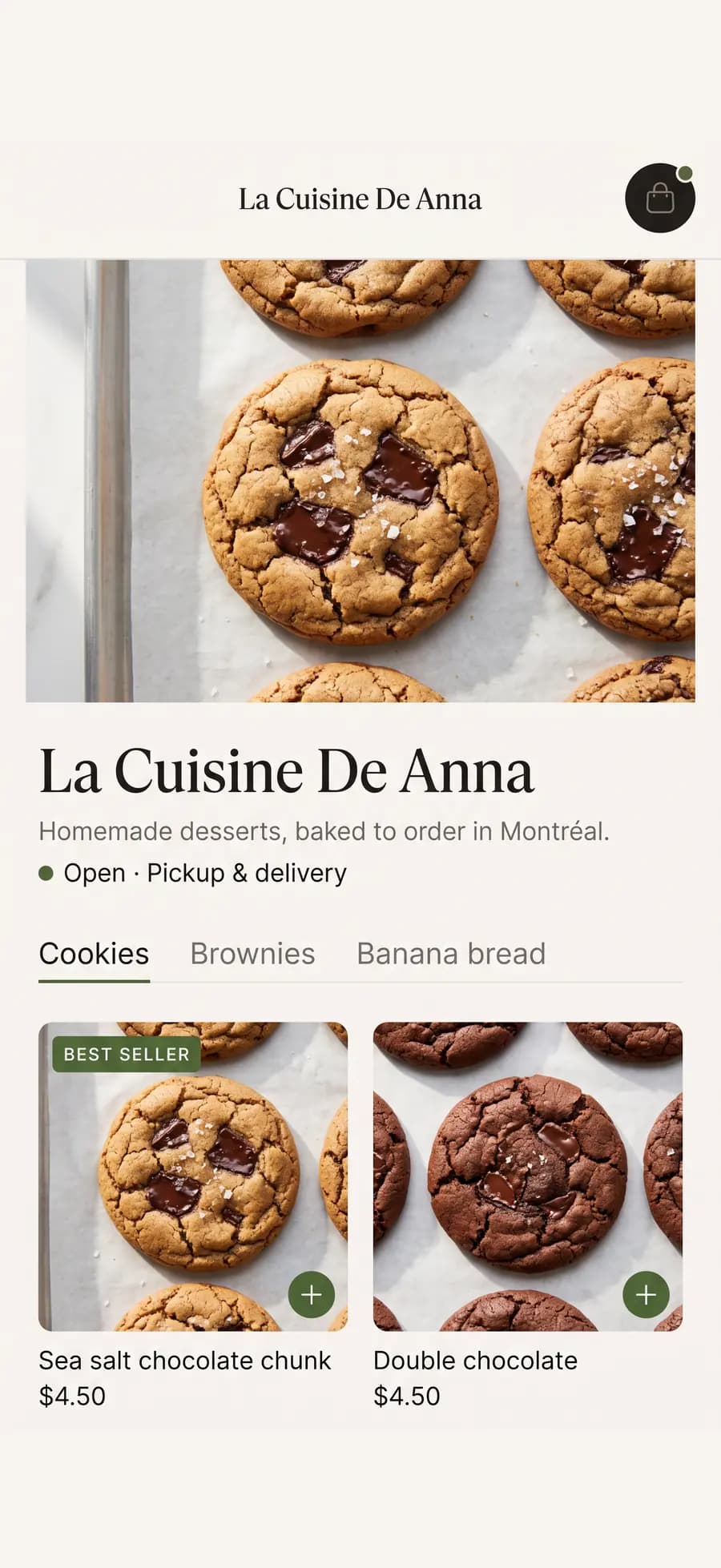
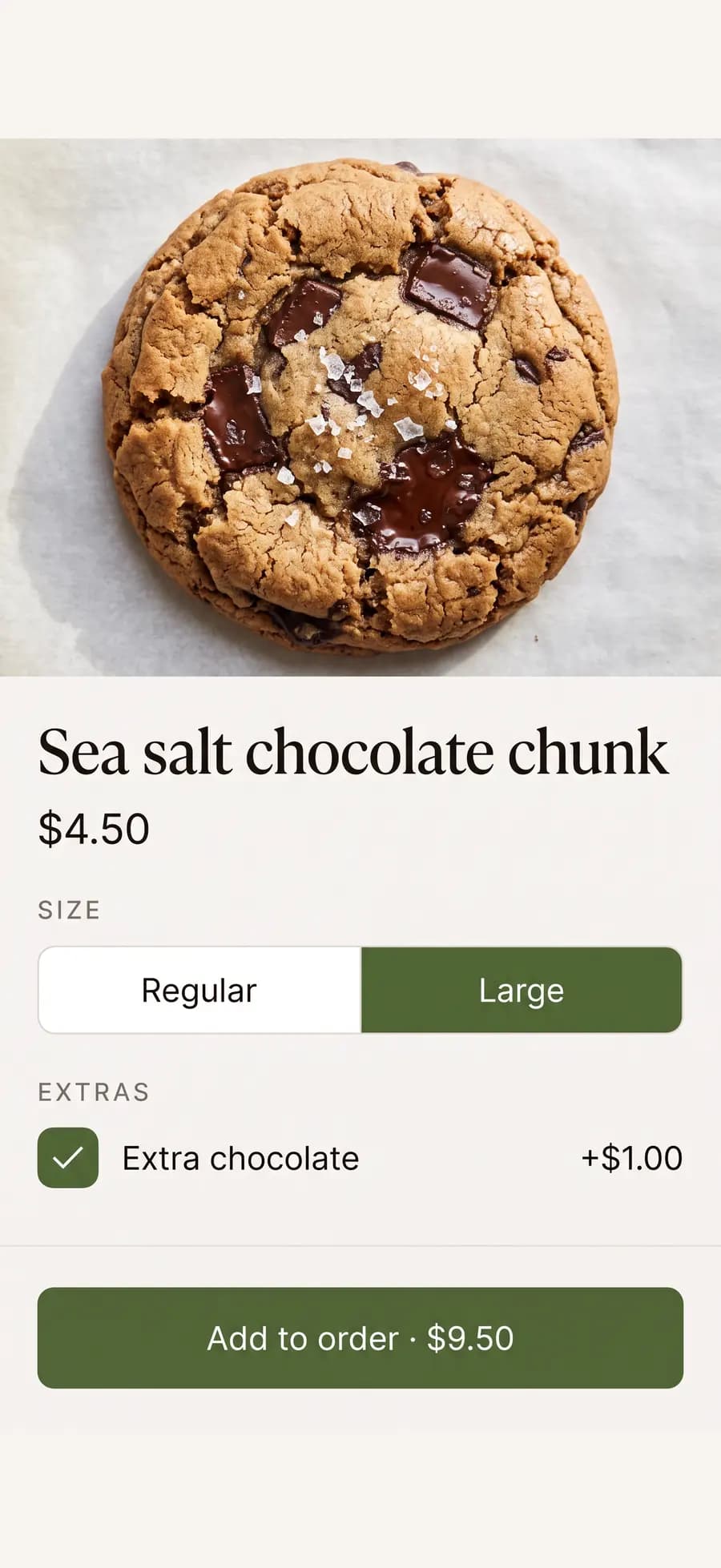
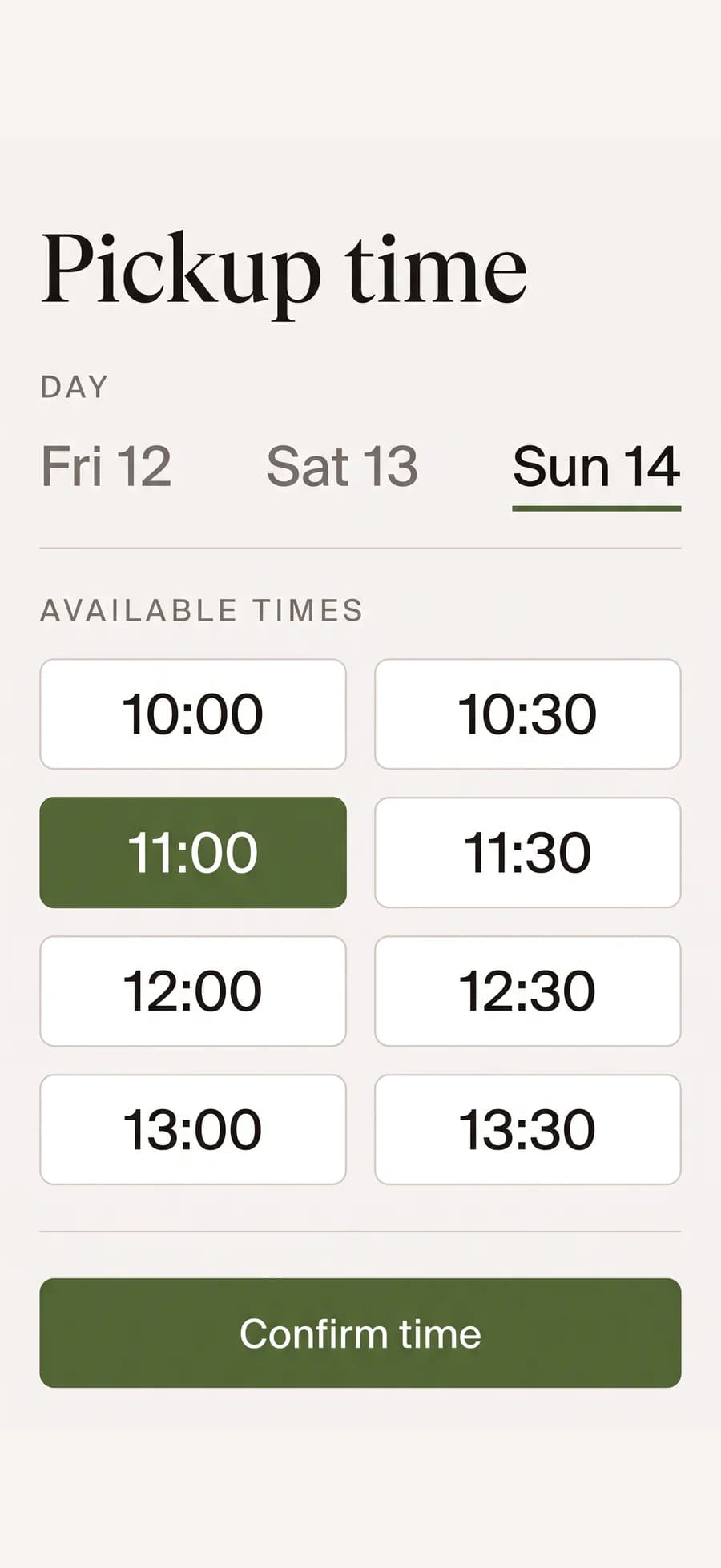
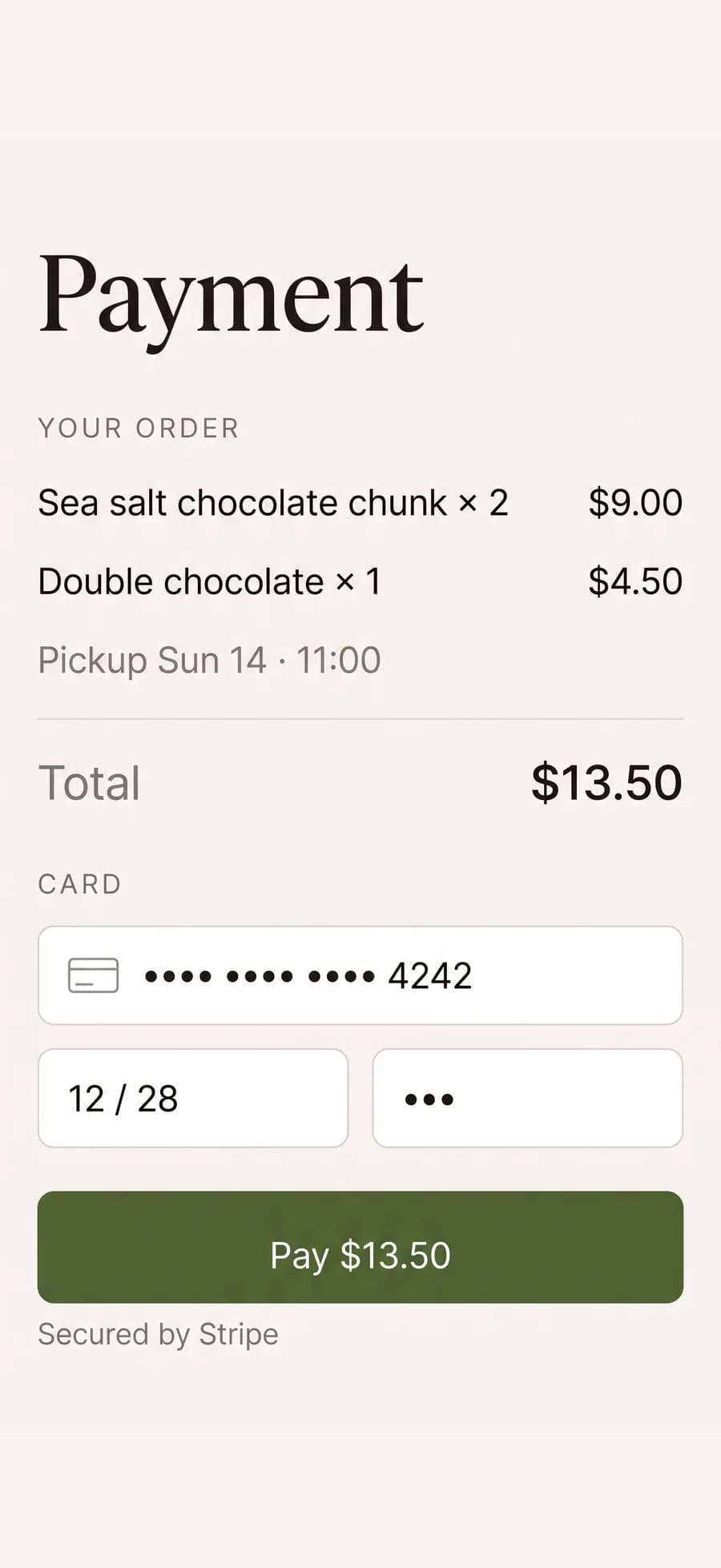
Home bakers across Canada run their orders on Swaddra.
The whole thing, in four minutes
A real walkthrough, not slides: building a menu, sharing the link, and taking an order.
You're already taking orders. You're just taking them the hard way.
Nothing wrong with selling through DMs — it's how almost every home bakery starts. It just stops working the moment you get busy.
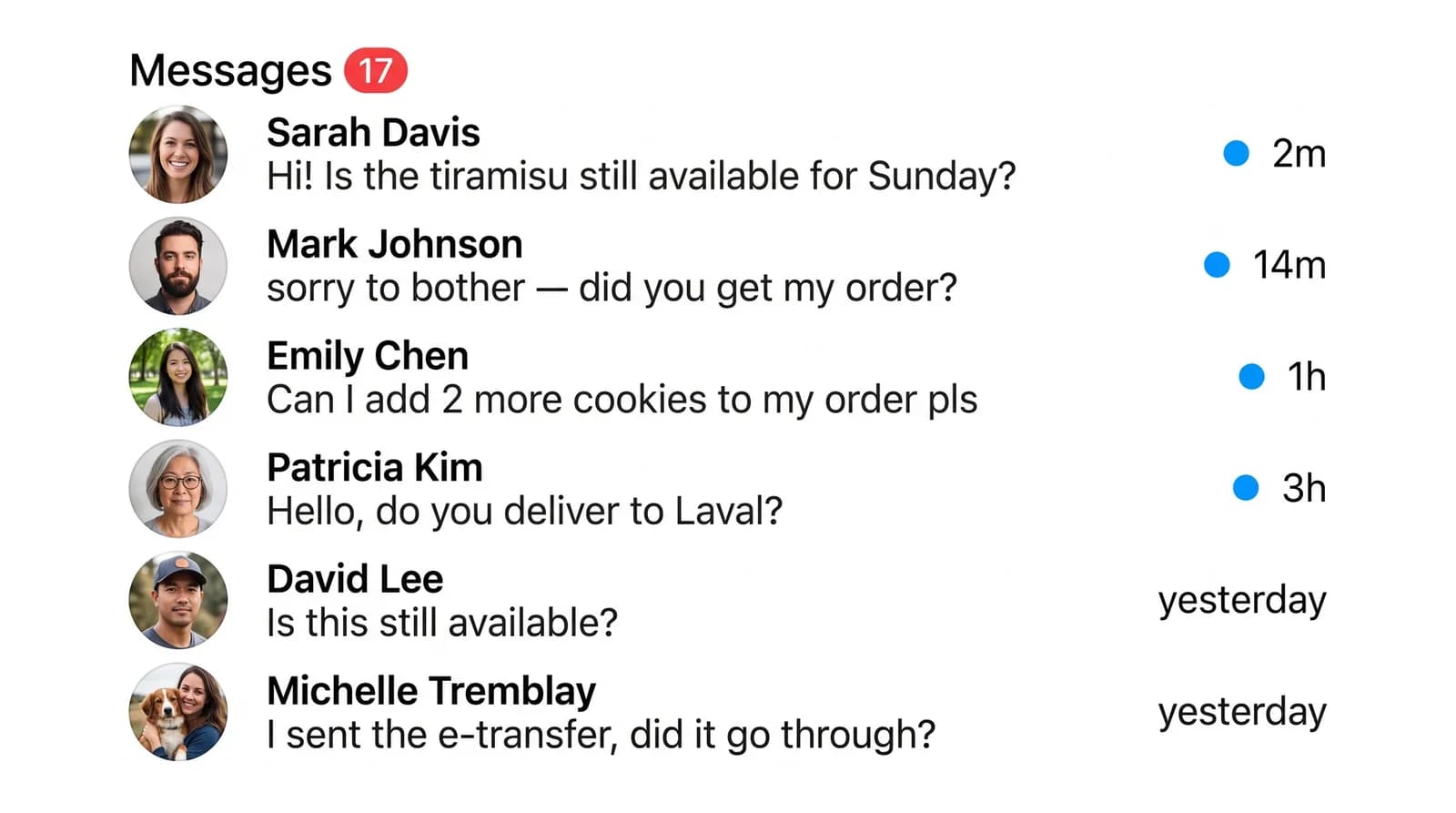
Selling through DMs
- “Is this still available?” — twenty times a week
- Your menu is a screenshot from four months ago
- Orders live in your head, your notes app, and three chats
- Chasing e-transfers after the food is already gone
- One missed message is one lost order
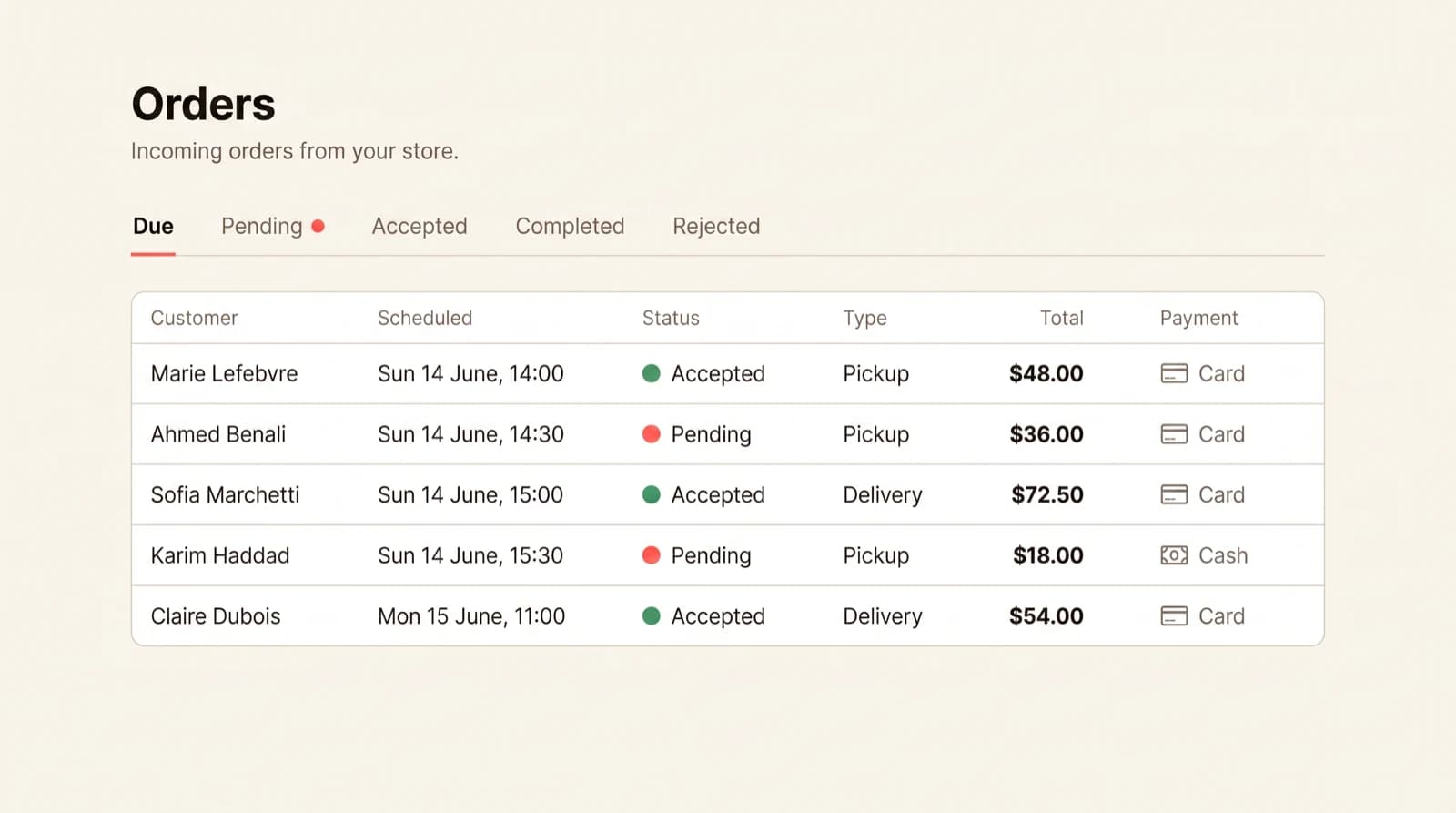
Selling through Swaddra
- Customers see what's available right now
- Sold out? One toggle — the menu updates itself
- Every order in one list, with pickup times attached
- Paid by card before they show up, or cash if you prefer
- Nothing depends on you seeing a notification in time
From nothing to your first order in 10 minutes
Three steps. No design skills, no website, nothing to install.
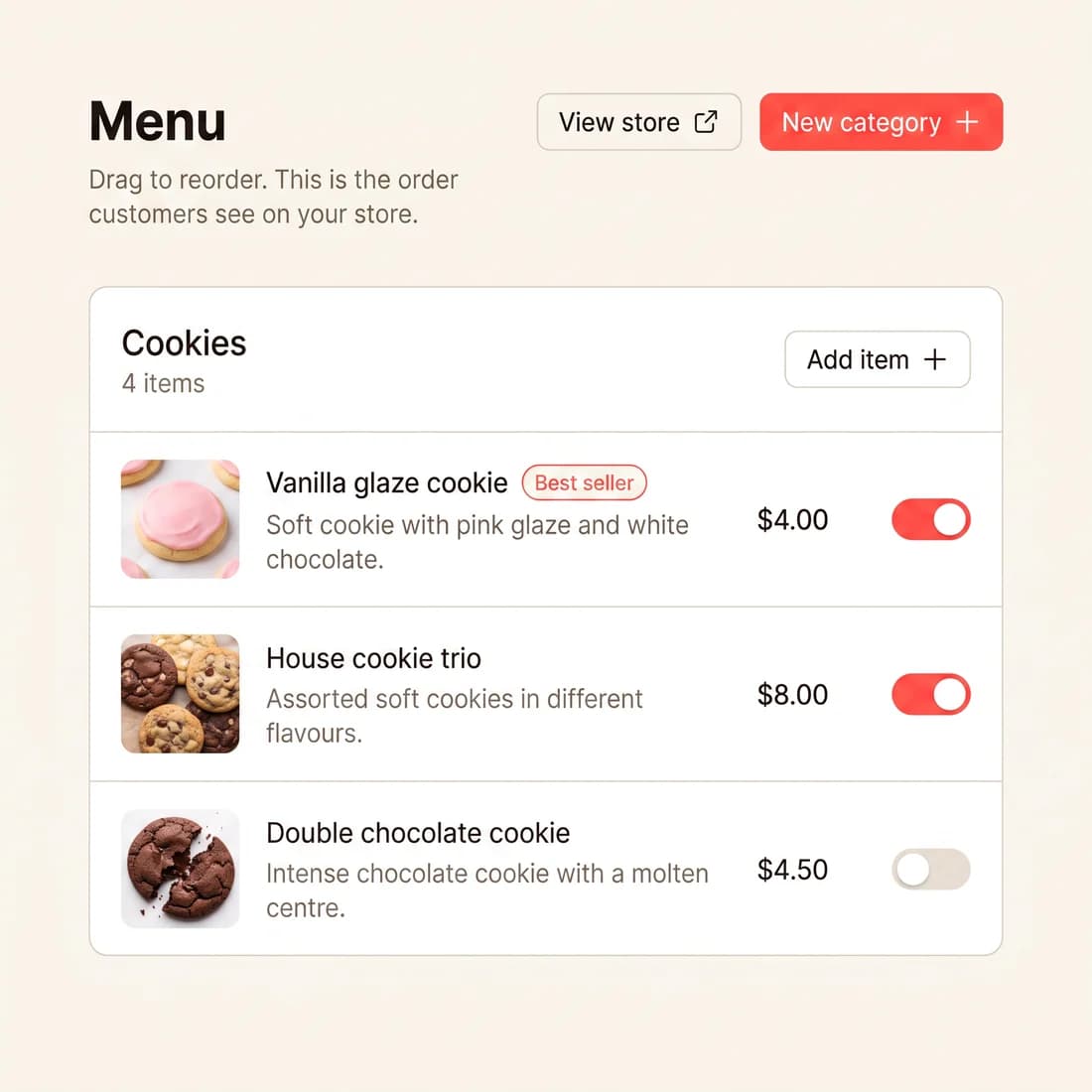
Add your dishes
Photo, price, and any options you offer — sizes, extras, dietary swaps. Add as many as you want.
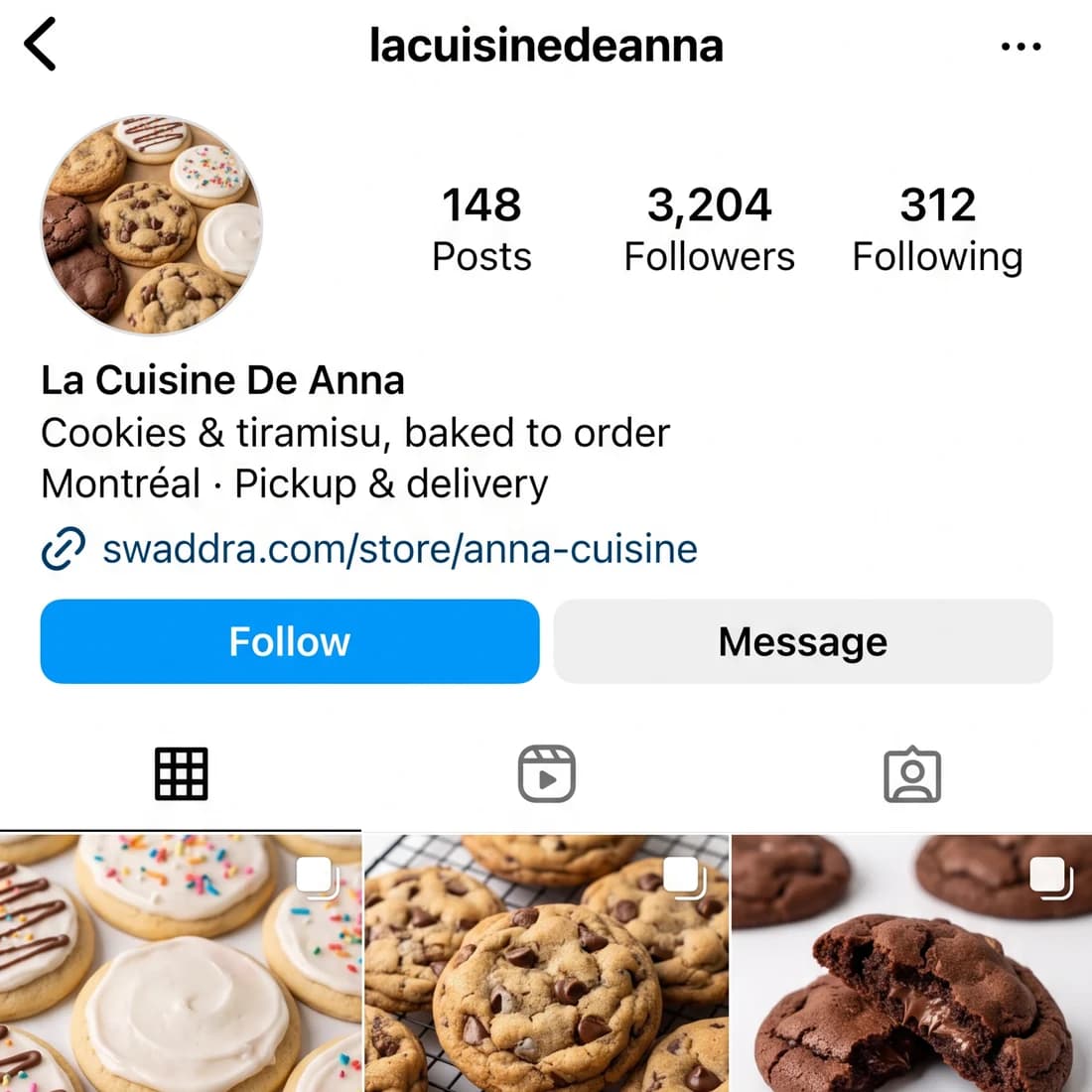
Share your link
Put swaddra.com/store/yourname in your Instagram bio, your WhatsApp status, anywhere your customers already find you.
Get paid
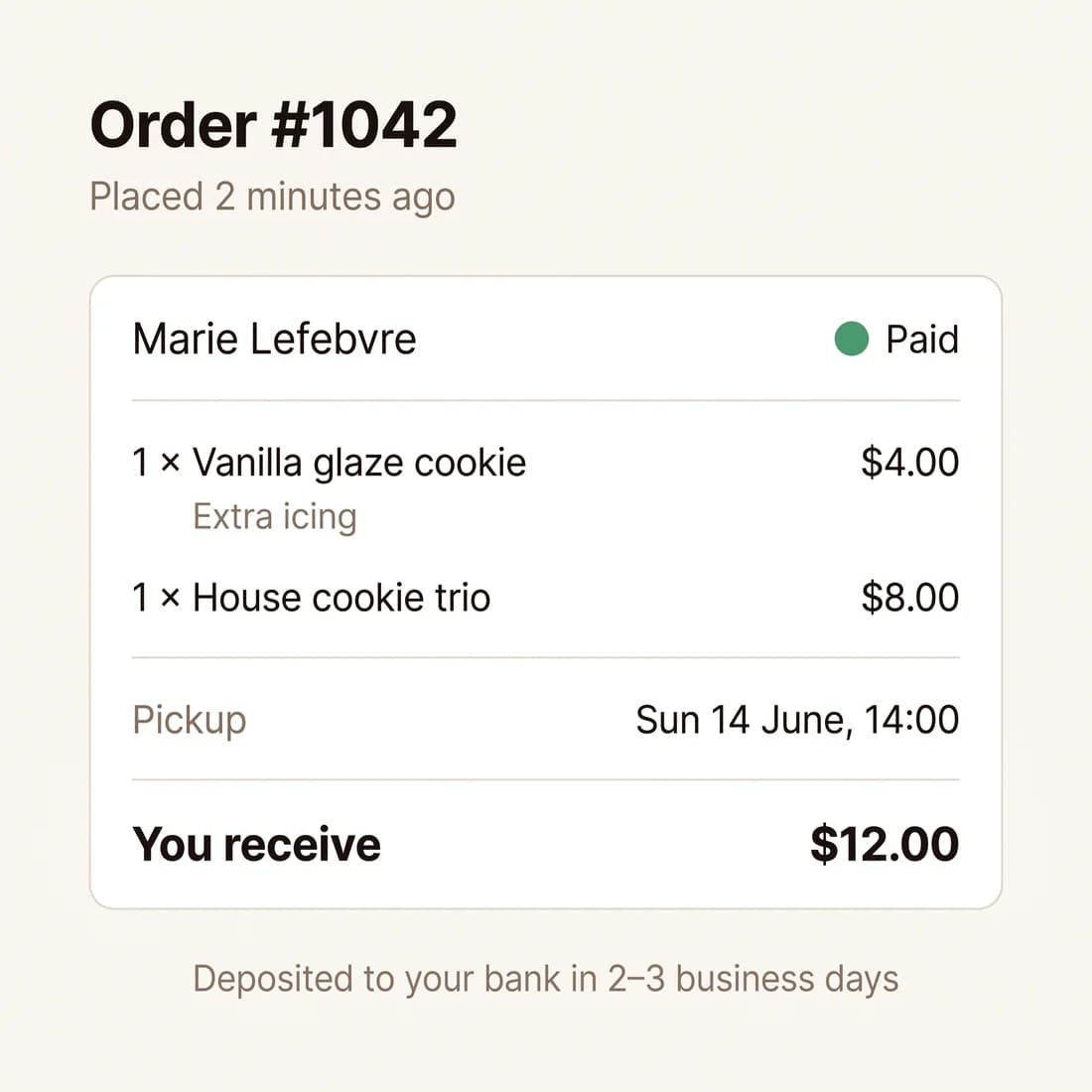
Orders land in your dashboard with the pickup time. Card payments go straight to your bank — Swaddra never holds your money.
A store, an order book, and a menu you control
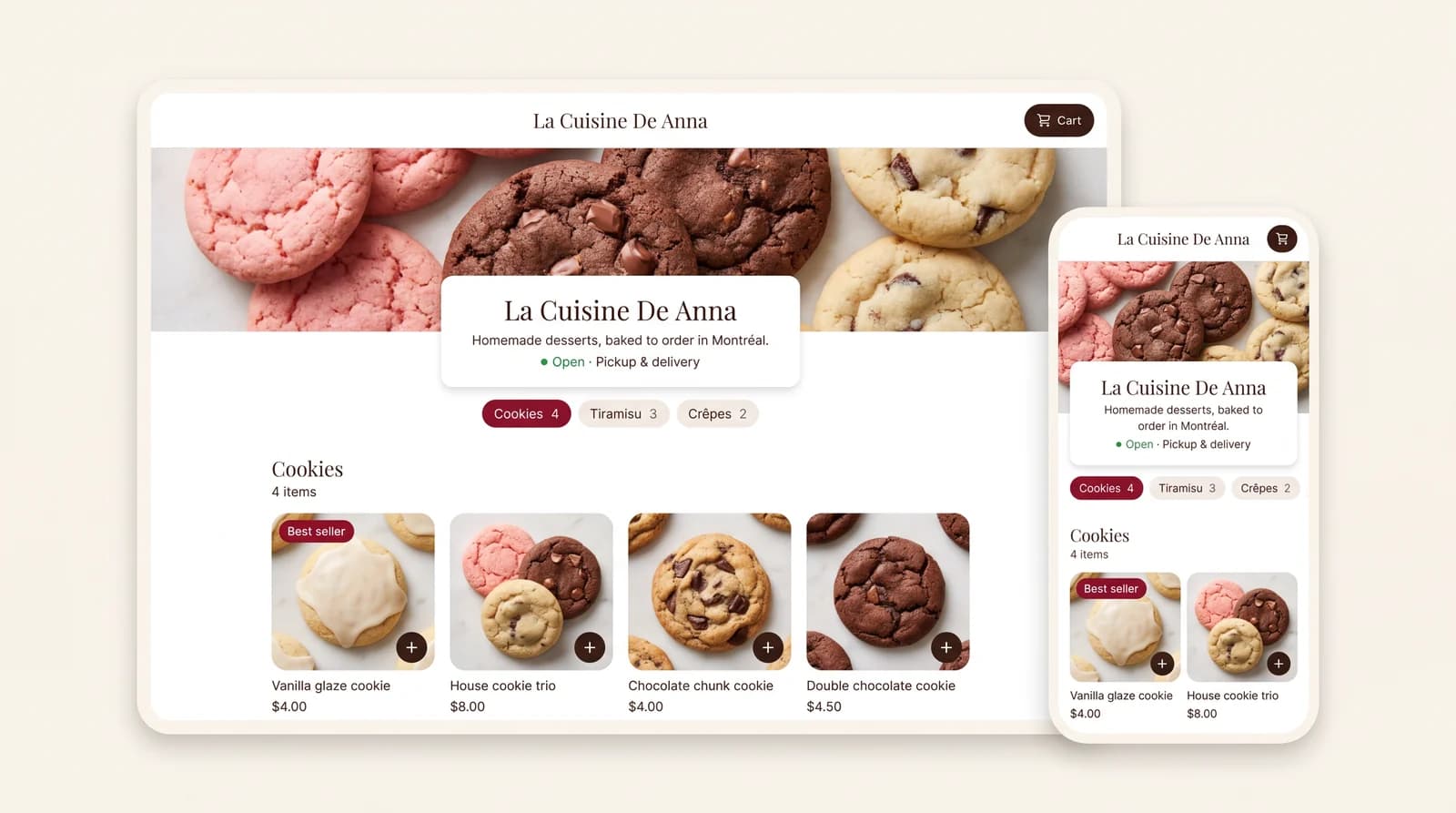
A page that looks like you meant it
Your name, your logo, your photos. Customers browse, pick options, choose pickup or delivery, and pay — all on their phone, no app to install.
- Two templates, both mobile-first
- Works in English and French
- Your own link to share anywhere
Every order in one place, with the pickup time on it
No more scrolling back through chats to find who ordered what. Open the dashboard, see what you're baking today, mark it ready.
- Order details, options, and notes on one screen
- Email notifications the moment an order lands
- Cash and card orders side by side
Bake when you want to bake
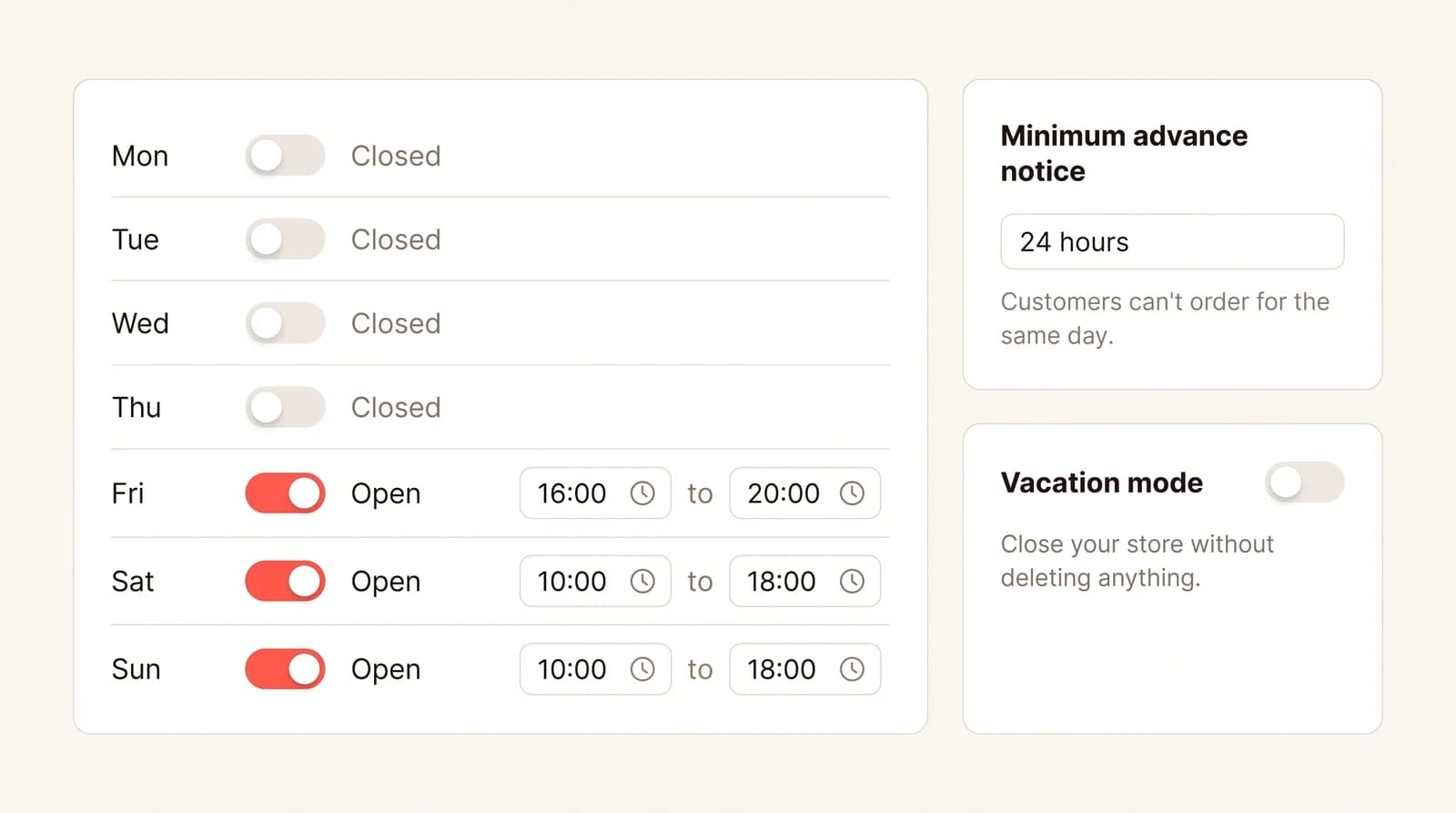
Open Sundays only? Taking a two-week break? Set your hours and how much advance notice you need. The store enforces it for you.
- Opening hours by day
- Minimum advance notice, so nobody orders for tonight at 6pm
- Vacation mode — one toggle, store closed
Built by bakers like you
Real businesses taking real orders. Open any of them.



Everything you need, nothing you don't
Built around how home bakeries actually run.
Card or cash
Card payments through Stripe, or cash on pickup. You decide which you accept.
Pickup or delivery
Time slots, lead times, and delivery zones — your rules, enforced automatically.
Options on every dish
Sizes, extras, dietary swaps. Each with its own price. No presets to fight with.
Bilingual (EN / FR)
One switch changes the whole store. Order confirmation emails too.
Sold-out toggle
Ran out of the lamb? Flip it off. The menu updates before the next customer looks.
100% of your money
Paid straight into your bank account. Swaddra is never in the money path.
Your money goes to your bank. Not ours.
Card payments are processed by Stripe, the same company behind Amazon and Shopify. We never see or store your customers' card details, and we never hold your money.
The questions bakers actually ask
I'm not technical at all. Can I really do this?
Yes. If you can post to Instagram, you can set up a Swaddra store. You add dishes the same way you'd add a photo and a caption. There's nothing to install, nothing to host, and no code anywhere.
Will my customers actually use it?
They already order from you — this just makes it easier. They tap your link, pick what they want, and pay. No account to create, no app to download. Most people order in under a minute.
Do I need a business licence or permit?
Swaddra is software, not a vendor or an insurer. Permits, food handling certifications, and licences are your responsibility and depend on where you bake — exactly as they are when you sell through Instagram.
Do I need a website?
No. Swaddra is your website. You get a public page at swaddra.com/store/yourname that you can share anywhere.
How fast can I start taking orders?
About ten minutes. Add a few dishes, set your hours, share your link.
Is the Free plan really free?
Yes — unlimited menu items, card payments, every feature. On card orders we take $1.50 from your payout; cash orders cost you nothing. If you'd rather pay a flat monthly price and keep every dollar per order, you can upgrade.
When do I get the money from card orders?
Card payments go directly into your Stripe account, and funds are usually in your bank within 2–3 business days. Cash orders are between you and your customer.
Can I take cash for pickup orders?
Yes. Turn on cash payments in your settings and customers pay you when they collect.
Is it really bilingual?
Yes. Set your store language to French or English and your customers see it in that language — order emails included.
Can I cancel anytime?
Yes, from your settings. Your store stays active until the end of the current billing period.
Your next order shouldn't arrive as a DM.
Free to start, about ten minutes to set up, cancel whenever.
No credit card required